Indian e-commerce sellers and small logistics operators who need to quickly check shipping costs before sending parcels.
How it works
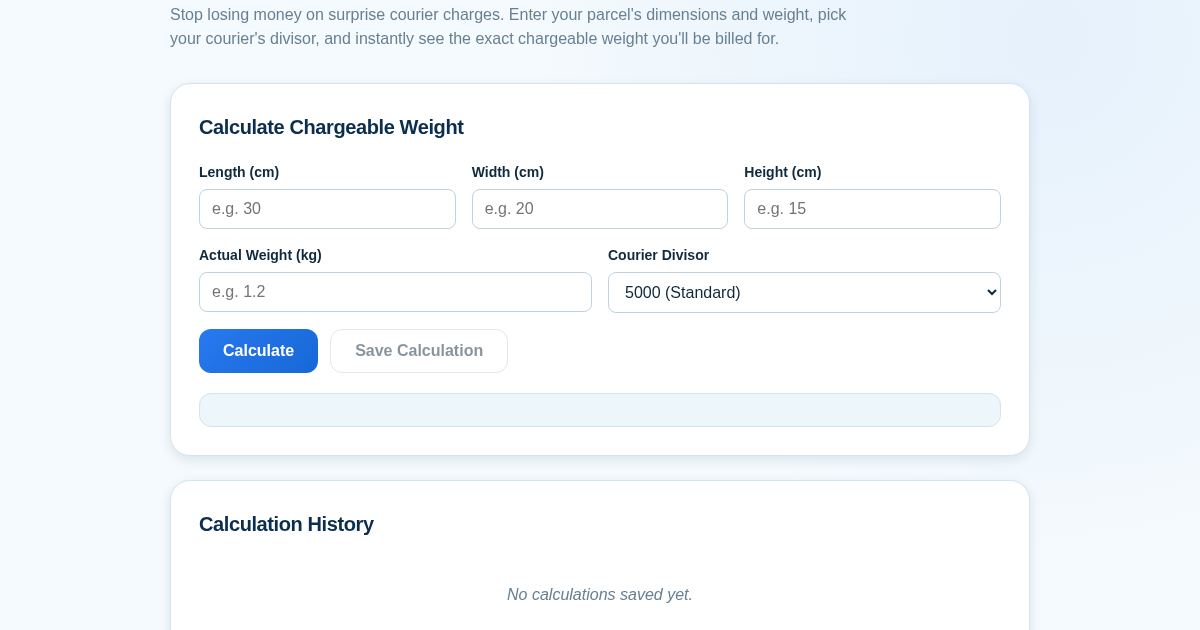
- Enter the parcel's length, width, height in centimeters and its actual weight in kilograms.
- Select the courier's volumetric divisor (e.g., 5000, 4000, 3000).
- Click Calculate to see the volumetric weight and the final chargeable weight (the higher of volumetric and actual weight).
- Click Save to store the calculation in the history log, and view all past calculations on the same page.
What you gain
- Avoid surprise courier charges by knowing chargeable weight upfront.
- Compare different courier divisors to understand billing differences.
- Save time with instant calculations.
- Keep a persistent history of calculations for future reference.
- Simple, single-page interface with no learning curve.
Screenshot
Technical details
How to set up & use
- Buy the license — your key (lic_...) appears on the order page and in your email.
- Sign in at app.synoriaai.com with your license key.
- No installation — the product runs in your browser, on your own isolated instance.
- 1. Enter your parcel's length, width, and height in centimeters, plus its actual weight in kilograms.
- 2. Select your courier's volumetric divisor from the dropdown (5000, 4000, or 3000).
- 3. Click the 'Calculate' button to see the chargeable weight instantly.
- 4. If you want to keep this calculation, click 'Save' to add it to your history.
- 5. Review your saved calculations anytime in the history section below.
Frequently asked questions
What does the volumetric divisor do?
The divisor is a number used by couriers to convert your parcel's dimensions into a volumetric weight. Different couriers use different divisors (e.g., 5000, 4000, 3000). Choosing the correct one ensures the chargeable weight matches what your courier will bill.
Is my calculation data stored or shared?
No. All calculations are done locally in your browser. Saved calculations are stored only on your device and are never sent to our servers or shared with third parties.
Does this tool account for packaging or irregular shapes?
No. It only calculates based on the exact dimensions and weight you enter. For irregular shapes, use the longest points in each dimension. It does not add any buffer for packaging.
Related products
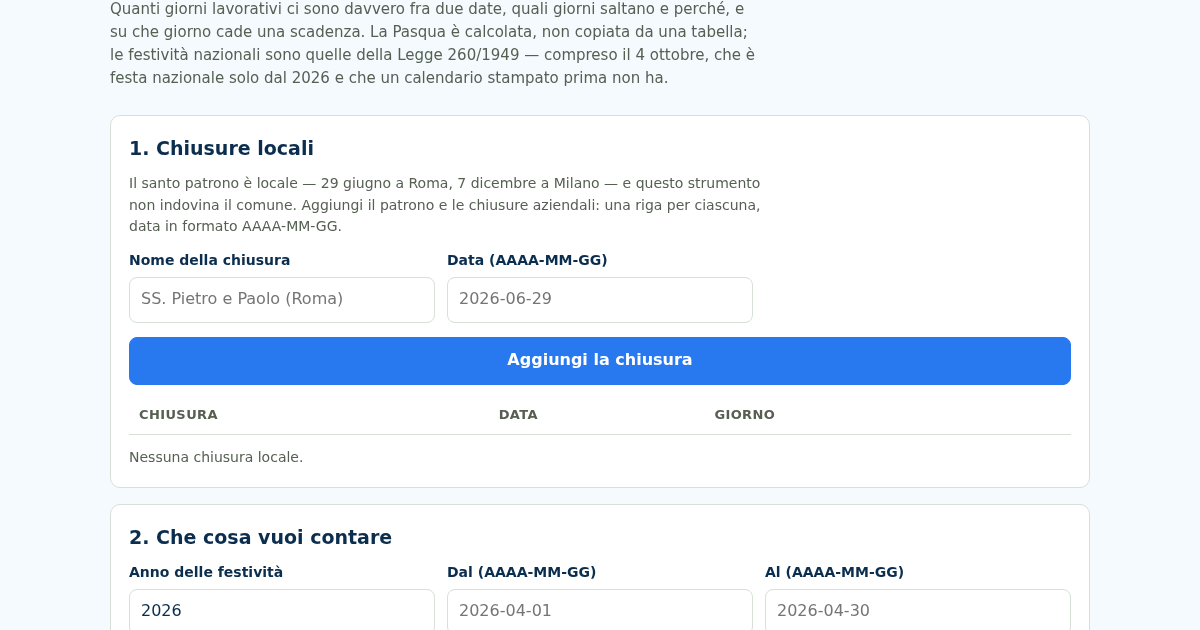
Giorni Utili: Giorni Lavorativi e Festività Italiane
Dal 2026 il 4 ottobre è festa nazionale — la Legge 8 ottobre 2025, n. 151 l'ha aggiunto all'elenco dell'articolo 2 della Legge 260/1949 — e un calendario stampato prima non ce l'ha. Nello stesso 2026 cinque delle dodici…
Giorni Utili: Giorni Lavorativi e Festività Italiane
Dal 2026 il 4 ottobre è festa nazionale — la Legge 8 ottobre 2025, n. 151 l'ha aggiunto all'elenco dell'articolo 2 della Legge 260/1949 — e un calendario stampato prima non ce l'ha. Nello stesso 2026 cinque delle dodici…
Giorni Utili: Giorni Lavorativi e Festività Italiane
Dal 2026 il 4 ottobre è festa nazionale — la Legge 8 ottobre 2025, n. 151 l'ha aggiunto all'elenco dell'articolo 2 della Legge 260/1949 — e un calendario stampato prima non ce l'ha. Nello stesso 2026 cinque delle dodici…
Giorni Utili: Giorni Lavorativi e Festività Italiane
Dal 2026 il 4 ottobre è festa nazionale — la Legge 8 ottobre 2025, n. 151 l'ha aggiunto all'elenco dell'articolo 2 della Legge 260/1949 — e un calendario stampato prima non ce l'ha. Nello stesso 2026 cinque delle dodici…